Quick Picks
| Product | Best For | Price |
|---|---|---|
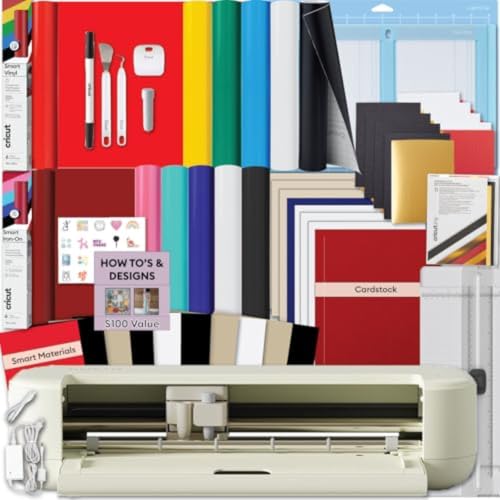
| Cricut Explore 5 Essential Bundle + Multicolor Sampler | Extra vinyl and iron-on sheets on top of the Essential Bundle | Check Price on Amazon |
| Cricut Explore 5 Essential Bundle + Digital Content | A 12-inch all-rounder first machine | Check Price on Amazon |
| Cricut Joy 2 Essential Bundle + Rainbow Sampler | Small spaces and quick everyday projects | Check Price on Amazon |
| Cricut Joy Xtra - Smart Cutting Machine | A lean, low-clutter starting point | Check Price on Amazon |
| Cricut Maker 4 - Smart Cutting Machine (Seashell) | Beginners who want room to grow into leather and wood | Check Price on Amazon |
Disclosure: We earn a small commission from qualifying Amazon purchases at no extra cost to you.
As an Amazon Associate, we earn from qualifying purchases.Last Updated: September 2026
Buying your first cutting machine is less about "which Cricut is best" and more about which box already contains the material you plan to cut. That is the honest read on this category in 2026. Most of the machines here are designed around Cricut's Design Space software. The supplied listing for the Cricut Expression Electronic Cutting Machine (B000WOV83M) describes a cartridge system that requires no computer and does not mention Design Space. The real differences come down to cutting width, how many materials the manufacturer says the machine handles, and what the bundle throws in.
This page is a specifications-led roundup. Nobody here cut a single sheet of vinyl — this website does not do product research. What follows is a close reading of ten Amazon Creators API verified product records and their listing feature bullets, retrieved 2026-09-09, turned into concrete advice about who each bundle suits.
Below you will find a quick comparison table, a full breakdown of every bundle in the data set, buying criteria that actually matter for a first machine, and recommendations sorted by the project you want to make first.
What to Look For in a Beginner Cutting Machine
Here's the short version: pick the cutting width first, the material list second, and the bundle contents third. Everything else is noise for a first-time buyer.
- Cutting width. Cricut states a 12 in (30.5 cm) cutting width for the Explore 5 and a 4.5 in (11.4 cm) cutting width for the Joy 2. That single number decides whether a full-size shirt graphic is a one-shot cut or a puzzle you assemble from strips.
- Material count. The manufacturer's listings claim 75+ materials for Joy 2, 50+ for Joy Xtra, 100+ for Explore 5, and 300+ for Maker 4. These are Cricut's own compatibility figures, not independent verification, but the ordering tells you how much headroom you are buying.
- Extra operations beyond cutting. Writing, drawing, foiling and scoring appear across several listings; engraving, debossing and perforating appear only in the Maker 4 records supplied here.
- Print Then Cut. If full-color stickers are the goal, you need a machine whose listing states Print Then Cut compatibility with a home inkjet printer, and you need the printer.
- What the box actually contains. A "bundle" can mean 30 bonus digital images or it can mean six 12" x 36" vinyl sheets. Read the inclusions line before you compare anything else.
- Recall and safety checks. Before buying any powered craft appliance, it is worth checking the U.S. Consumer Product Safety Commission's recall listings, and USA.gov publishes general consumer protection guidance for online purchases.
The Best Cricut Machines and Bundles for Beginners in 2026
Cricut Explore 5 Essential Bundle + Digital Content — Best for a first 12-inch all-rounder
This is the sensible default for most first-time buyers, and the reason is the cutting width. Cricut lists the Explore 5 as the newest generation of its Explore machines, with a 12 in (30.5 cm) cutting width and a body the listing describes as 30% more compact than previous models. A smaller footprint with the same cutting width is exactly the trade a beginner with a shared dining table wants.
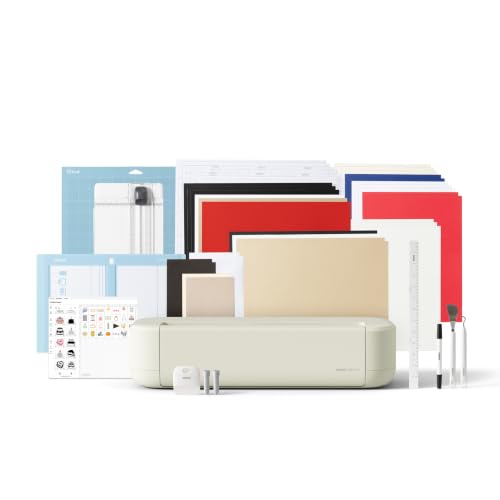
On capability, the listing states the Explore 5 precision-cuts 100+ popular materials including vinyl, iron-on, cardstock and printable materials, and that it also writes, draws, foils and scores. It works with six tools, including a Deep Cutting Tool for thicker materials like foam and rubber that Cricut sells separately. There is also a new snap-in pen holder, which reads as a small but real fix for the fiddliest part of drawing projects.
The bundle side is modest but real: Cricut says the Essential Bundle includes Smart Vinyl, Smart Iron-On, Value Cardstock, Insert Card Sets and Printable Vinyl, enough supplies to create up to 65 projects, plus 25 additional premium images and 1 font. Full-color sticker work runs through Print Then Cut with a home inkjet printer, and the machine connects to Design Space over Bluetooth.
Pros
- 12 in (30.5 cm) cutting width in a body Cricut describes as 30% more compact than previous models
- Manufacturer-stated compatibility with 100+ materials, plus writing, drawing, foiling and scoring
- Bundle supplies rated by Cricut for up to 65 projects
- Print Then Cut support for full-color stickers with a home inkjet printer
- The Deep Cutting Tool for thicker materials like foam and rubber is sold separately
- The supplied listing information does not state a warranty length, machine weight, or cutting force
Verdict: Buy this if you want one machine that covers decals, shirts, stickers and cards without over-committing to a materials stash on day one.
Cricut Explore 5 Essential Bundle + Multicolor Sampler — Best for extra vinyl and iron-on sheets out of the box
Same machine, considerably more to cut. This bundle's stated inclusions are the reason to look at it: on top of the Essential Bundle contents, Cricut lists 6 Smart Vinyl Sheets (12" x 36"), 6 Smart Heat Transfer Vinyl Sheets (12" x 13"), a Cricut Card Set, and access to 400+ projects and how-to's in Design Space. That is a meaningful head start over a digital-content-only bundle.
The machine specifications match the Explore 5 above: the listing states it cuts 100+ materials including vinyl, HTV, cardstock, printable materials, paper and felt, and it connects wirelessly through Bluetooth to Design Space. It is also compatible with Cricut Smart Materials for continuous matless cuts up to 12 feet long, which is the spec that matters if banners, long wall decals or repeated labels are on your list — no mat means no 12-inch ceiling on cut length.
Honestly, for a beginner the extra vinyl is worth more than any bonus image pack. Learning to weed and transfer takes repetition, and repetition consumes material.
Pros
- The listing for the Cricut Explore 5 Essential Bundle + Multicolor Sampler (B0GSSB9CLR) states that, in addition to the Essential Bundle contents, you receive 6 Smart Vinyl Sheets (12" x 36") and 6 Smart Heat Transfer Vinyl Sheets (12" x 13")
- Smart Materials support enables continuous matless cuts up to 12 feet long
- Manufacturer-stated compatibility with 100+ materials including felt and printable materials
- Access to 400+ projects and how-to's in Design Space
- The supplied listing information does not state a bonus image or font count for this variant
Verdict: The pick for someone who wants to make things this weekend rather than place a second order for vinyl.
Cricut Joy 2 Essential Bundle + Rainbow Sampler — Best for small spaces and quick everyday projects
The Joy 2 is the machine you buy when storage is the constraint. Cricut says it weighs just over 2 lbs (0.91 kg) and has a 4.5 in (11.4 cm) cutting width, and describes it as the next generation of its ultra-compact cutting machine, suited to quick everyday projects like custom cards, simple decals and labels. Two pounds is a machine that lives in a cupboard and comes out for twenty minutes, which is a genuinely different ownership pattern from a 12-inch cutter.
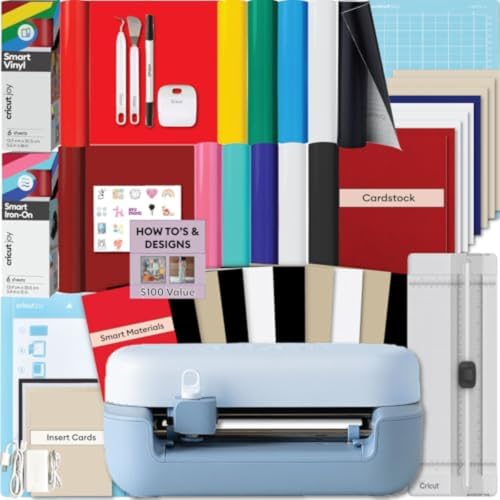
The headline upgrade in the supplied record: Cricut states the Joy 2 now works with your home inkjet printer for Print Then Cut full-color stickers. Compatibility is listed at 75+ materials including vinyl, iron-on, printable materials and cardstock, and the machine also writes, draws, foils and scores.
The Rainbow Essential Bundle includes Smart Vinyl, Smart Iron-On, Value Cardstock, Insert Card Sets and Printable Vinyl, with Cricut rating the supplies as enough to create up to 75 projects and access to over 400+ projects and how-to instructions in Design Space.
Pros
- Weighs just over 2 lbs (0.91 kg) — easy to store and move
- Print Then Cut full-color sticker support with a home inkjet printer
- Bundle supplies rated by Cricut for up to 75 projects
- Manufacturer-stated compatibility with 75+ materials
- The 4.5 in (11.4 cm) cutting width limits design size compared with the 12 in (30.5 cm) Explore 5
- Fewer stated compatible materials (75+) than Explore 5 (100+) or Maker 4 (300+)
Verdict: Right for label-makers, card-makers and anyone whose craft space is a drawer — wrong if you want full-width shirt graphics.
Cricut Joy Xtra - Smart Cutting Machine — Best for a lean, low-clutter starting point
This one is deliberately minimal. Cricut's bundle list covers the Joy Xtra, Fine-Point Blade, Fine Point Pen, Mini Weeder, welcome card, USB cable, power adapter, materials for a practice cut, a free trial subscription to Cricut Access for new subscribers, and 30 bonus images in the Design Space app. "Materials for a practice cut" is the phrase to note — this is a machine-first purchase, not a supply-first one.
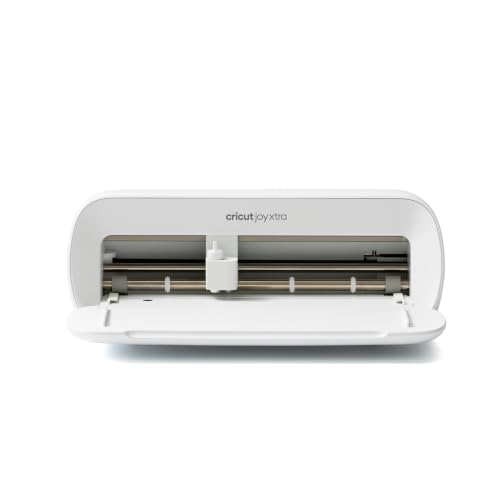
Cricut lists the Joy Xtra as working with 50+ materials including vinyl, iron-on HTV, cardstock and stickers, and says it also draws and foils. Print Then Cut is supported with most inkjet printers for full-color designs. The free Design Space library is listed at 3,000+ images and 100+ fonts, expanding to a stated 1,500,000+ images, 1,000+ fonts and 100,000+ projects with the optional paid Cricut Access subscription.
That subscription framing matters for budgeting. The free library is real and usable; the seven-figure number is a paid tier, and Cricut's own listing marks it with an asterisk.
Pros
- Ships with Fine-Point Blade, Fine Point Pen, Mini Weeder and materials for a practice cut
- Print Then Cut compatible with most inkjet printers
- Free Design Space content library of 3,000+ images and 100+ fonts
- Includes a free trial subscription to Cricut Access for new subscribers
- Stated compatibility of 50+ materials is the lowest figure among the machines listed here
- Only "materials for a practice cut" are included, so you will need to buy vinyl or iron-on separately
Verdict: For the cautious beginner who already has a materials plan and does not want a box of samplers they did not choose.
Cricut Joy Xtra Cutting Machine and Smart Vinyl Bundle for Labels, Decals & Custom Projects - Includes Rainbow Permanent Vinyl, Transfer Tape, Tools & Design Guides — Best for labels and home organization
If your first ten projects are pantry labels, storage bin tags and water bottle decals, this is the configuration that matches. The listing describes a complete vinyl crafting bundle containing the Cricut Joy Xtra machine, rainbow Smart Vinyl, transfer tape, essential tools and digital design guides.
The practical detail is the workflow: the listing states that compatible Smart Vinyl loads directly into the Joy Xtra without a mat, for faster setup and longer continuous cuts. Skipping the mat removes the step beginners most often get wrong — material that lifts mid-cut because it was pressed down unevenly.
Transfer tape being in the box is not a footnote either. Applying a weeded vinyl design without transfer tape is how first projects end up crooked, and this bundle includes it rather than assuming you know to add it.
Pros
- Includes rainbow Smart Vinyl, transfer tape and essential tools alongside the machine
- Smart Vinyl loads without a cutting mat for faster setup and longer continuous cuts
- Digital design guides included for labels, decals and signs
- The supplied listing information does not state material quantities, sheet sizes or a project count
- Vinyl-focused: no iron-on materials or heat press are listed in this bundle
Verdict: The organization-project starter kit — best for teachers, classroom labels and anyone decorating bins, bottles and notebooks.
Cricut Joy Xtra Cutting Machine T-Shirt Making Bundle with Mini EasyPress Heat Press - Includes Smart Iron-On Materials — Best for a complete cut-and-press apparel workflow with a Mini Heat Press
Cutting iron-on is the easy half of shirt making. Applying it is where projects fail, and that is exactly the gap this bundle closes. The listing describes a complete t-shirt making system: the Cricut Joy Xtra machine, a Cricut Mini Heat Press, Smart Iron-On materials, crafting tools and design guides.
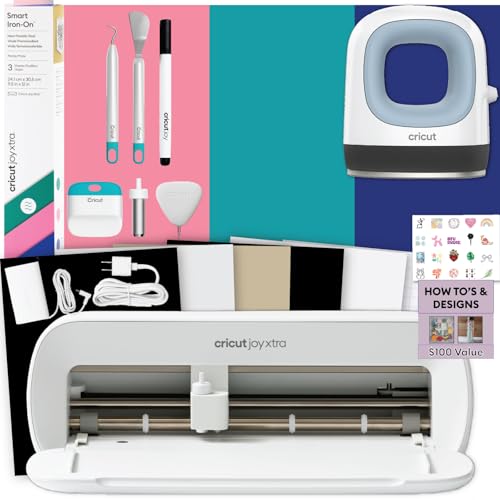
Cricut positions the compact EasyPress Mini as providing consistent heat for detailed heat transfer projects, curved surfaces, smaller designs and hard-to-reach areas on apparel and fabric crafts. Read that carefully — it is a precision tool aimed at small and awkward areas, so it is a natural fit for the Joy Xtra's smaller cut sizes rather than for pressing a full chest graphic in one go.
The listing also positions it for Etsy shops, event shirts and team apparel. For a beginner, the honest version is that it gets you a complete design-cut-press loop in one purchase, which is worth more than any single component.
Pros
- Complete cut-and-press workflow in one box, including a Cricut Mini Heat Press
- Smart Iron-On materials included, described as easy to cut, weed and apply
- Suited to curved surfaces, smaller designs and hard-to-reach areas on apparel
- The Mini press is described for detailed and smaller designs, not for full-size single-press graphics
- The supplied listing information does not state temperature settings, plate size or press quantities
Verdict: The most complete apparel starting point here for someone making baby clothes, tote bags and small chest designs. Pair it with our heat press basics guide before your first shirt.
Cricut Maker 4 - Smart Cutting Machine (Seashell) — Best for beginners who expect to outgrow vinyl
The Maker 4 is the machine you buy once, if you can. Cricut lists it as working with 300+ materials, including leather, wood, vinyl, iron-on HTV, cardstock and stickers — triple the stated material count of the Explore 5's 100+. It also does more than cut: the listing credits it with drawing, foiling, scoring, engraving, debossing and perforating.
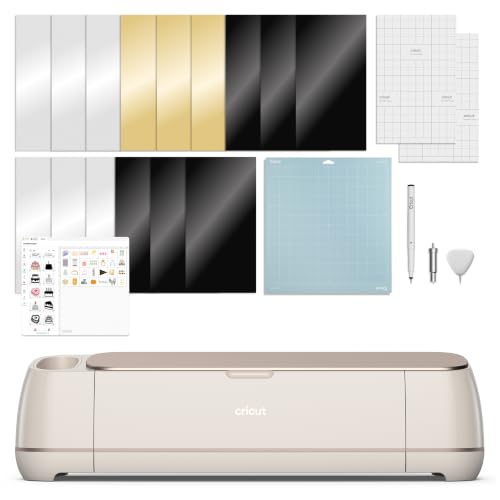
Engraving and debossing are the operations that change what you can sell. Neither appears in the Joy 2, Joy Xtra or Explore 5 records supplied here, so if metal blanks, leather goods or debossed cards are anywhere in your five-year plan, check the stated functions carefully.
The bundle includes the Maker 4, Fine-Point Blade, a Materials Sampler (Smart Vinyl, Matless Vinyl, Smart Iron-On, Matless Heat Transfer Vinyl, Cardstock, Transfer Tape), a Fine Point Pen, a Light Grip Mat, a Weeder and 30 bonus images in the Design Space app. Print Then Cut works with most inkjet printers.
Pros
- Manufacturer-stated compatibility with 300+ materials including leather and wood
- Engraves, debosses, perforates, scores, draws and foils in addition to cutting
- Materials Sampler covers both mat and matless vinyl and heat transfer vinyl
- Includes a Light Grip Mat and Weeder out of the box
- The listing does not state which tools the engraving, debossing or perforating operations require, and specialty tips are commonly separate purchases
- The supplied listing information does not state cutting width, weight or warranty for this bundle
Verdict: For the beginner who already suspects this becomes a business — the 300+ material figure and the engrave/deboss functions are what you are paying for.
Cricut Maker 4 Card Making Bundle - Smart Cutting Machine with Card Mat — Best for greeting cards and invitations
Card making has one genuine hardware requirement, and it is the card mat. This bundle includes a 2x2 card cutting mat, cardstock, inserts and envelopes, plus a rainbow vinyl sampler and an HTV iron-on sampler, according to the listing.
A card mat is what lets the blade cut the front of a folded card without slicing through the back, and having inserts and envelopes in the same box means your first card is a complete, mailable object rather than a cut piece of cardstock waiting on a trip to the craft store. That is the whole argument for this configuration.
Cricut positions the kit for birthday cards, invitations, thank-you notes and holiday cards, with tools and materials optimized for cardstock, card inserts and detailed paper designs. The vinyl and HTV samplers keep the door open to decals and shirts once the card projects are done.
Pros
- Includes the 2x2 card cutting mat, cardstock, inserts and envelopes needed for finished cards
- Adds a rainbow vinyl sampler and an HTV iron-on sampler for non-paper projects
- Built on the Maker 4, per the Cricut Maker 4 Card Making Bundle (B0DVW7D896) listing title
- The supplied listing information does not state card, insert or envelope quantities, or a material compatibility count for this bundle
Verdict: The clearest choice if wedding invitations, holiday cards or event stationery are the reason you are buying a cutter at all.
Cricut Maker 4 Cutting Machine Bundle Ultimate Sticker Making — Best for sticker sellers
Sticker making is the most common first "can I sell this?" project, and it needs three things: an inkjet printer, printable sticker paper, and a machine that can cut precisely around a printed image. This bundle supplies two of the three. The listing includes printable sticker paper, adhesive vinyl and tools, and describes using Cricut Design Space with your inkjet printer to print designs and cut them with precision.
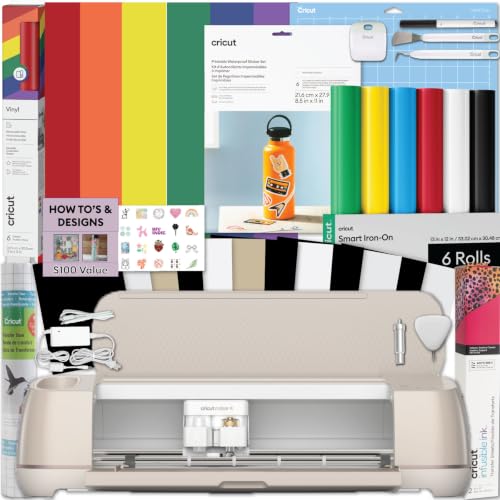
Cricut also states the included materials are suitable for long-lasting water-resistant stickers for water bottles, packaging and everyday use, with the adhesive vinyl sampler aimed at phone case and car decals. Note that the supplied record for the Cricut Maker 4 Cutting Machine Ultimate Beginner Sticker Making Bundle (B0DVWGKLDP) is inconsistent on this point: the verified product title says "Waterproof Sticker Paper" while the listing feature says materials are suitable for water-resistant stickers, so check the manufacturer's own specification before relying on a durability claim.
The listing positions this at Etsy sellers and small business owners. Fair enough — but remember the printer is your purchase, not Cricut's, and print quality will cap sticker quality no matter how well the machine cuts.
Pros
- Print Then Cut workflow with printable sticker paper included
- Adhesive vinyl sampler for phone case and car decals
- Built on the Seashell Maker 4 die-cutting machine with tools and project guidance included
- Requires an inkjet printer that is not part of the bundle
- The supplied record is inconsistent on durability wording: the product title says "Waterproof Sticker Paper" while the listing feature describes water-resistant stickers, and no independent durability certification appears in the supplied listing
Verdict: The right bundle for someone with a decent inkjet printer who wants to test a sticker shop without assembling supplies piecemeal.
Cricut Expression Electronic Cutting Machine — Best for computer-free cartridge cutting
This is the outlier in the lineup, and it deserves a careful read rather than a dismissal. The Expression is a cartridge-driven machine: the listing states the cartridge system requires no computer, and that it cuts from 1/4 inch to 23-1/2 inches. That is a stated cut-size range rather than a cutting width, and the supplied listing information for the Cricut Expression Electronic Cutting Machine (B000WOV83M) does not state a cutting width.
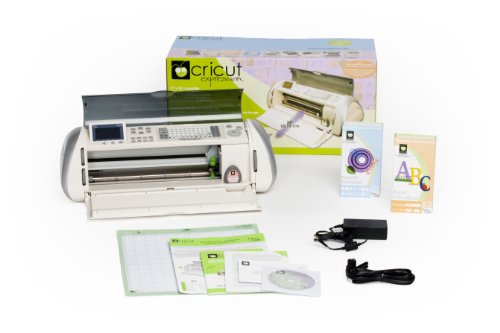
Operation runs through an easy-to-read LCD screen with 6 modes, 4 functions, and portrait or landscape orientation. It comes with the Plantin SchoolBook font and shape cartridge plus an Accent Essentials mini shape cartridge, and ships in Certified Frustration-Free Packaging.
Here's the thing a beginner needs to understand before buying: the supplied listing describes a cartridge system and does not mention Design Space, Bluetooth, or Print Then Cut. The supplied listing describes design content as coming from the cartridges and does not state whether any app-based design workflow is available.
Pros
- Cuts from 1/4 inch to 23-1/2 inches per the listing
- Cartridge system requires no computer
- LCD screen with 6 modes, 4 functions, and portrait or landscape orientation
- Includes a font and shape cartridge plus a mini shape cartridge
- The supplied listing does not mention Design Space, Bluetooth, or Print Then Cut
Verdict: A niche pick for computer-free, cartridge-based cutting; the supplied listing for the Cricut Expression Electronic Cutting Machine (B000WOV83M) does not state whether app-designed sticker or shirt workflows are supported.
How We Research
Every specification on this page comes from two source types and no others: Amazon Creators API verified product records and the product listing feature bullets published on each listing, all retrieved 2026-09-09. We read every bullet for all ten ASINs, extracted the manufacturer's own stated figures — cutting widths, material counts, weights, project counts, bundle contents — and compared them arithmetically against each other.
Where a figure is absent from a listing, this page says so rather than guessing. A missing warranty length or blade force means the supplied listing information does not state it, not that Cricut never publishes it elsewhere. And where a claim is Cricut's marketing language rather than a measurable spec, it is attributed to the listing so you can weigh it accordingly.
No machine on this page was physically operated, measured, or timed by anyone at this website.
Recommendations by Use Case
You want one machine to do most things: the Cricut Explore 5 Essential Bundle + Digital Content, on the strength of its 12 in (30.5 cm) cutting width, stated compatibility with 100+ materials, and supplies Cricut rates for up to 65 projects.
You want the most to work with on day one: the Cricut Explore 5 Essential Bundle + Multicolor Sampler, which adds 6 Smart Vinyl Sheets (12" x 36") and 6 Smart Heat Transfer Vinyl Sheets (12" x 13") to the Essential Bundle contents.
You have almost no space: the Cricut Joy 2 Essential Bundle + Rainbow Sampler, at just over 2 lbs (0.91 kg) with a 4.5 in (11.4 cm) cutting width and supplies rated for up to 75 projects.
You want to make shirts immediately: the Cricut Joy Xtra Cutting Machine T-Shirt Making Bundle with Mini EasyPress Heat Press - Includes Smart Iron-On Materials, because the Cricut Mini Heat Press and Smart Iron-On are in the same box as the cutter.
You want room to grow into leather, wood and engraving: the Cricut Maker 4 - Smart Cutting Machine (Seashell), listed at 300+ compatible materials with engraving, debossing and perforating among its functions.
You are making cards or invitations: the Cricut Maker 4 Card Making Bundle - Smart Cutting Machine with Card Mat, for the 2x2 card cutting mat, inserts and envelopes.
You are testing a sticker shop: the Cricut Maker 4 Cutting Machine Ultimate Beginner Sticker Making Bundle, assuming you already own an inkjet printer.
Frequently Asked Questions
Which Cricut machine is best for a complete beginner?
For most beginners, the Explore 5 bundles hit the best balance: Cricut lists a 12 in (30.5 cm) cutting width, compatibility with 100+ materials, and Bluetooth connection to Design Space with a free library of 3,000+ images, 100+ fonts and 1,000+ projects. If storage space is tight, the Joy 2 at just over 2 lbs (0.91 kg) is the better fit.What is the difference between the Cricut Joy 2 and the Explore 5?
Cutting width and material range. Cricut states a 4.5 in (11.4 cm) cutting width and 75+ compatible materials for the Joy 2, versus a 12 in (30.5 cm) cutting width and 100+ materials for the Explore 5. Both listings state Print Then Cut support using a home inkjet printer.Do I need a Cricut Access subscription?
No. Cricut's listings state a free out-of-the-box content library of 3,000+ images, 100+ fonts and 1,000+ projects. The optional paid Cricut Access subscription is what unlocks the stated 1,500,000+ images, 1,000+ fonts and 100,000+ projects.Can a beginner Cricut make full-color stickers?
Yes, if the machine supports Print Then Cut and you own an inkjet printer. The Joy 2, Joy Xtra, Explore 5 and Maker 4 listings all state Print Then Cut compatibility, where your printer produces the color and the machine cuts around the printed image.What does a Cricut "Essential Bundle" actually include?
Cricut describes the Essential Bundle as Smart Vinyl, Smart Iron-On, Value Cardstock, Insert Card Sets and Printable Vinyl. The company rates the Explore 5 Essential Bundle supplies for up to 65 projects and the Joy 2 Rainbow Essential Bundle for up to 75 projects.Is the Cricut Maker 4 too advanced for a first machine?
Not inherently — it runs the same Design Space software Cricut says connects to all its cutting machines. The difference is headroom: the listing for the Cricut Maker 4 - Smart Cutting Machine (Seashell) (B0DTQBZ3J3) states 300+ compatible materials including leather and wood, plus engraving, debossing and perforating.Do I need a cutting mat for every project?
Not with Smart Materials. Cricut states that compatible Smart Vinyl loads directly into the Joy Xtra without a mat, and that the Explore 5 supports continuous matless cuts up to 12 feet long with Smart Materials.Final Verdict
If you buy one machine from this list, make it the Cricut Explore 5 Essential Bundle + Multicolor Sampler. The reasoning is not sentiment — it is the combination of a 12 in (30.5 cm) cutting width, 100+ stated compatible materials, matless cuts up to 12 feet long, and a materials package containing 6 Smart Vinyl Sheets (12" x 36") and 6 Smart Heat Transfer Vinyl Sheets (12" x 13"). Beginners waste material learning to weed, and this box accounts for that.
Go smaller only for a real reason: the Cricut Joy 2 Essential Bundle + Rainbow Sampler at just over 2 lbs (0.91 kg) genuinely solves the storage problem, and its supplies are rated for up to 75 projects.
Go bigger only for a real plan: the listing for the Cricut Maker 4 - Smart Cutting Machine (Seashell) (B0DTQBZ3J3) claims 300+ materials including leather and wood, plus engraving, debossing and perforating. If those operations are on your list, that is the listing that states them.
Sources & Methodology
This website did not physically test, operate, or laboratory-evaluate any Cricut machine on this page, and it runs no test facility. What we did do is pull the Amazon Creators API verified product record and every published listing feature bullet for all ten ASINs on 2026-09-09, then compare the manufacturer's own stated figures side by side — cutting widths, material compatibility counts, machine weight, bundle inclusions and project ratings.
That approach is well suited to this category, because the buying decision for a beginner cutting machine is almost entirely a specification-and-contents decision: width caps what you can make, the material count caps what you can grow into, and the box contents determine whether your first project happens this week. What it cannot tell you is cut consistency over time, noise, or long-term reliability — no supplied source addresses those, so this page does not claim to.